File details
The details view shows everything ArchiveMind knows about a single file.
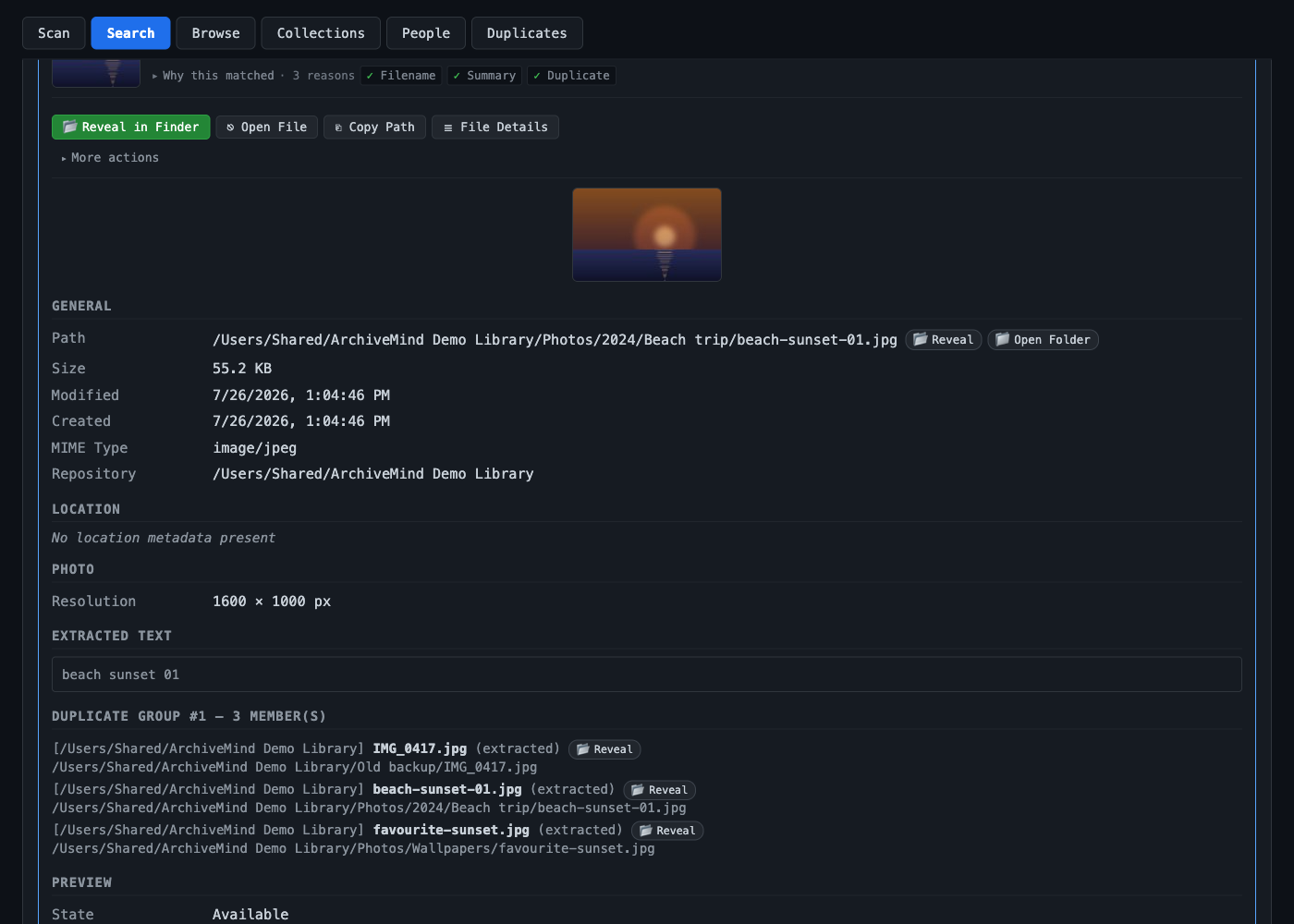
What you will see
- Name, path, and size — where the file lives and how big it is.
- Which repository (drive or folder) it belongs to, and whether that source is currently connected.
- Dates — such as when the file was last modified.
- Metadata — what the file format provides: camera details for photos, tags for audio files, and so on. Missing metadata is shown as missing, never invented.
- A preview or thumbnail where the format supports one — a photo's thumbnail, a PDF's first page, a video frame, an audio waveform.
- Duplicate relationships — other cataloged copies of the same content, if any. See Duplicates.
Opening the real file
When the file's drive is connected, use Reveal in Finder (macOS) or Show in Explorer (Windows) to jump straight to the file on disk.
When the drive is disconnected, ArchiveMind still shows the cataloged details — but it tells you plainly that the original file cannot be opened until the drive is reconnected. See Disconnected drives.